Pricing Security
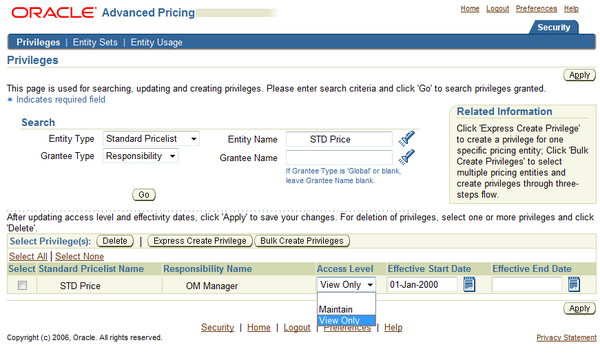
In addition to the functional security, Oracle Advanced Pricing provides an additional level of security
called pricing security. Pricing security provides an additional security which can be used to restrict pricing activities such as updating and viewing pricing entities to users who are granted specific access privileges.
Oracle Pricing Administrator responsibility can be used for pricing security set up and maintenance. This responsibility provides an HTML user interface and provides the authorization to access & update all pricing entities. The features provide by pricing security are:
1. Restricting pricing entities to operating units:
Pricing entities (Price list & Modifiers) are not part of the multi-org structure provided by oracle EBS but pricing security can be used to assign a pricing entity to a specific operating unit.
You can restrict usage to one operating unit or allow usage by all operating units by making it Global.
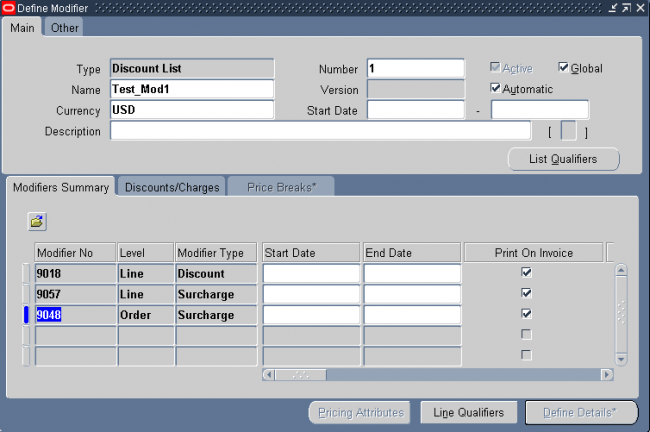
Global Usage: A pricing entity can be used across all operating units when making a pricing request. A pricing entity is originally owned by the creating organization. At creation checking the 'Global' flag allows usage across operating units; unchecking it restricts usage to the owner organization. Ownership/Usage may be updated on this page.
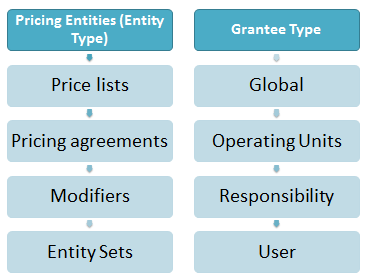
2. Restricting pricing entities to grantee (Global, Operating Unit, Responsibility, or User level) :
You can grant view-only or maintain access privileges to functional users at the Global, Operating Unit, Responsibility, or User level.
Pricing Security Terms (as in Oracle user guide)
The following terms are used in Oracle pricing security:
1.1 Pricing Entity: A pricing entity can be a price list, modifier list, or pricing agreement.
1.2 Entity Set: A set of pricing entities that can be used as an Entity Type to which you
can grant privileges with Maintain or View-Only access levels.
1.3 Entity Type: A term used to describe one of the following pricing entities: Standard Price list, Modifier List, Pricing Agreement, and Entity Set.
1.4 Entity Usage: Grants the usage of the entity to one or all operating units so that it can be used during pricing engine calls.
1.5 Global Usage: When Global Usage is set to Yes for a pricing entity, it can be used across all operating units for processing orders. If No is selected, the usage of the entity is restricted to the operating unit that created or owns it.
When security is turned on, a Global box indicating Global Status is dynamically added to the header region of all price lists and modifiers. A user with Maintain access privileges can update the Global box.
2.1 Grantee: The specific user or users for a Grantee Type who are given permission to view or maintain a pricing entity. Used in combination with a Grantee Type.
2.2 Grantee Type: The level to which privileges are granted:
- Global: Includes all users with access to pricing menus.
- Operating Unit: Includes users who have the named operating unit as the default operating unit (as specified in MO: Default Operating Unit profile).
- Responsibility: Includes users within the named responsibility.
- User: Specifies a named user.
2.3 Access Level: Provides Maintain or View-Only access to a pricing entity:
- View-Only: Enables the user to view but not update the pricing entity.
- Maintain: Enables the user to view and update pricing entities. Not all of the entities support delete capabilities.
Advanced Pricing Responsibilities:
Advanced Pricing comes with three seeded responsibilities. These responsibilities have different purposes as explained below.
Oracle Pricing Administrator
The user who is assigned the Oracle Pricing Administrator responsibility has complete access to all pricing entities without restriction and is responsible for the global setup and administration of pricing security.
The administrator is responsible for Privileges, Entity Sets & Entity Usage setups.
Oracle Pricing Manager
The user who is assigned the Oracle Pricing Manager responsibility can access all features for setting up, using, and maintaining pricing features and functions (except pricing security) such as price lists, pricing formulas, modifiers, attribute management, and item and category management.
Oracle Pricing User
This responsibility provides access to the HTML user interface where you can create price lists and modifiers (Deal, Discount, Promotion, Surcharge), access the price list maintenance feature, and attach qualifiers and qualifier groups to modifiers and price lists.
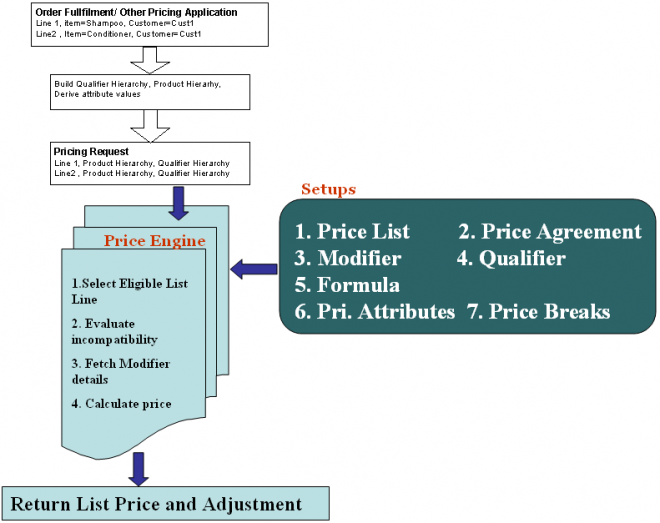

 Following are the primary advantages of using Oracle Advanced Pricing over basic pricing capability included in Oracle Order Management: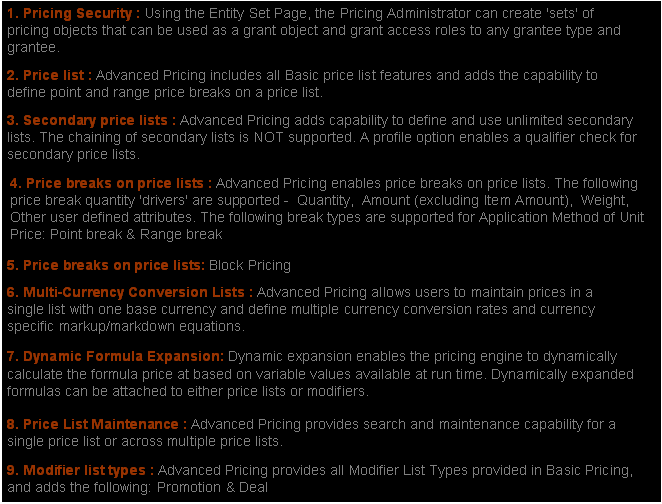
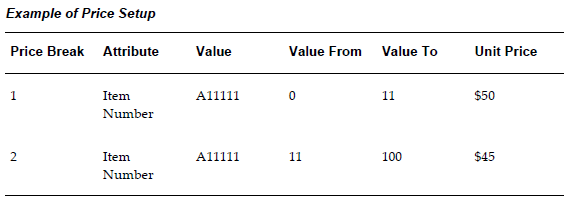

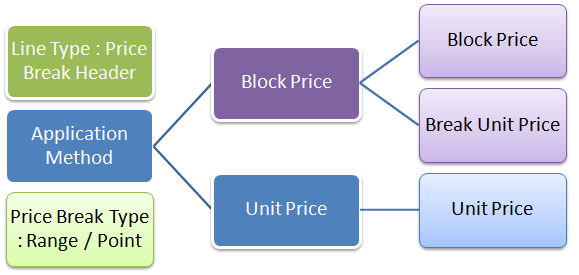
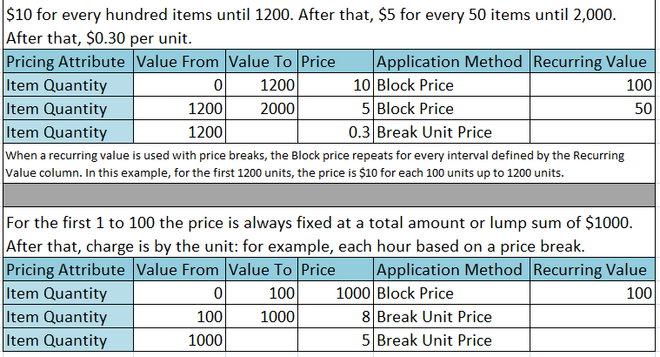
 You can use price breaks (bracket pricing) to define prices that vary with the quantity ordered. For example, if you buy up to 10 items the price is $20 per item, but if you buy more that 10 items, you get a lower price per unit.