Price List
iStore and Pricing Integration TSG [ID 182351.1]
Modified 11-MAR-2010 Type TROUBLESHOOTING Status PUBLISHED
"Checked for relevance on 13-AUG-2009"
Troubleshooting Guide
Pricing Issues
1. Cart: "IPL: Price List Not Found or List Price is Null" error when add item to cart.
2. Cart: The price is zero (0) after adding item to cart
3. Cart: APP-236113: IPL: Item [...] and uom EA not on pricelist [...] error trying to add a model item to the cart.
4. Discount: Attempting to apply an Ask For promotion with automatic line. System displays message ' Invalid promotion code '
5. Modifier: Unable to create a 'Promotion' Modifier
6. Modifier: Ask For promotions work properly in OM and Quoting but not in iStore
7. Pricelist: Pricelist id is null at quote header level
8. Storefront: Price not showing up for items in iStore
9. StoreFront: In iStore Catalog, your price and List Price is same
Expected Discounts not applied in iStore catalog
10. Storefront: No prices show in catalog after changing UOM on pricelist
1. Cart: "IPL:Price List Not Found or List Price is Null" error when add item to cart.
Cause: This could be a setup problem
Resolution: Check the following:
a) IBE: Use Price list associated with Specialty Store to 'No' for iStore application if the price list for the user should be determined by the
Pricing engine. Default behavior is assumed to be 'Yes' and the price list at the specialty store is used for registered/business users.
b) ASO: OM Defaulting to 'Yes' at the desired level. (This profile is available at Site/Application/Responsibility/User level)
c) In forms:
choose responsibility Oracle Pricing Manager.
Setup -> Event Phases
Query for all event phases. Set Search Flag = 'Yes'
for pricing event 'LINE' in all phases.
d) Make sure that defaulting row is setup correctly in Order Management
*For example, to set for 'order_type':
In forms,
1) choose responsibility Order Management Super User.
2) Go to Setup -> Rules -> Defaulting
3) Search for:
Application: Oracle Order Management
Entity: Order Header
4) Select from Attributes section the item 'Order Type'. click of 'Defaulting Rules'
5) Add an entry in the 'Default Sourcing Rules' w/ the following information:
Sequence: 1
Source Type: Constant Value
Order Type: Standard
[top]
2. Cart: The price is zero (0) after adding item to cart
Cause: This is a setup issue.
Resolution: Set 'IBE: Pricing Event for Shopping Cart' = 'Enter Order Line'
[top]
3. Cart: APP-236113: IPL: Item [...] and uom EA not on pricelist [...] error trying to add a model to the cart.
Cause: Setup issue
Resolution: 1. All the components of the model are not on a price list
OR
2. All the components are on a price list but it is not the same as the model price list and the profile IBE:Use Price list associated with Specialty Store is set to "Yes".
Please revisit the pricelist setup.
[top]
4. Discount: Attempting to apply an Ask For promotion with automatic line. System displays message Invalid promotion code
Cause: Incomplete setup
Resolution: 1. Make sure the promotion is setup as automatic at the header level.
ÃÂ : 2. Currency Code is mandatory for the Ask for promotions setup for iStore. So ensure the promotion code has the currency code populated. This currency should be same as the currency setup for the Minisite.
[top]
5. Modifier: Unable to create a 'Promotion' Modifier
Problem: As Oracle Pricing Manager Responsibility, when trying to create a modifier of 'Promotion' Type, it is not available in the LOV.
Cause: The select for the LOV returns certain values depending on if Advanced Pricing (QP) is installed Shared or Full.
In this case, QP is not installed Fully.
Resolution: Need to install QP Fully by using adlicmgr utility.
[top]
6. Modifier: Ask For promotions work properly in OM and Quoting but not in iStore
Problem: The promotion is attached to the order but does not apply the discount.
Cause: The promotion has an end date specified. iStore doesn't apply the promotion even if the end date is greater than the sysdate.
Resolution: Apply IBE.O RUP 1 3597271
[top]
7. Pricelist: Pricelist id is null at header level
Problem: The price list id in order header gets null value for the orders from iStore.
The price list in order lines is correct, and the price list in the lines are correct too.
You are just concerned that the value is null
Resolution: Having the price list id null at the Header level when using the pricing engine will not cause any problems. If you had the profile IBE: USE PRICELIST ASSOCIATED W/MINISITE option set to yes, the price list at the Header level would populate because there would only be one price list id used. However because you are using the pricing engine, there is a possibility that 2 items on a quote could come from different price lists. Meaning there could be more than one price list id, which is impossible to display at Header level.
Having this value set to null will not cause any problems.
[top]
8. Storefront: Price not showing up for items in iStore
Cause: Setups not done correctly
Resolution: First do the following basic check:
- Is price set up properly in Price Engine?
- Can you see price for those items in Order Manager?
- Does the Specialty Store have correct Price Lists for walkin, registered, and B2B users?
- Does the Price List have item prices for the correct UOMs?
Also check the values set for the following pricing related profiles:
a. 'IBE: Pricing Event -- Before Shopping Cart': The pricing event to use when pricing items in the catalog
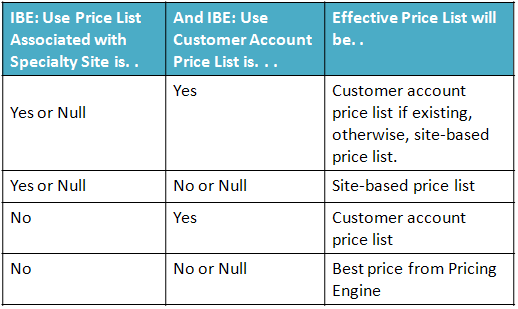
b. The pricing request type, 'IBE: Use Price List associated with Specialty Store' affects the Price List that is passed to the pricing engine for registered users and B2B users. If the profile is set to ÃÂâÃÂÃÂÃÂÃÂYesÃÂâÃÂÃÂÃÂÃÂ, a minisite level Price List will be used for pricing. If the profile is set to ÃÂâÃÂÃÂÃÂÃÂNoÃÂâÃÂÃÂÃÂÃÂ, a null Price List along with the party id and account id will be passed to the pricing engine, thus the pricing engine will search for a Price List for which the user qualifies.
c. If profile 'IBE: Use Price List associated with Specialty Store' is 'No', check the following setup:
1) Set 'ASO: OM Defaulting' to 'Yes' at the desired level. (This profile is available at
Site/Application/Responsibility/User level)
2) In forms: Can this be structured better? Identical introduction to item d.
. Choose responsibility Oracle Pricing Manager.
. Go to Setup -> Event Phases
. Query for all event phases. Set Search Flag = 'Yes' for the pricing event LINE' in all phases.
A quick query to identify the User Search Flag for all event phases.
select decode(b.profile_option_name, 'IBE_PRECART_PRICING_EVENT','Catalog', 'IBE_INCART_PRICING_EVENT', 'Shopping Cart') "For Object", a.profile_option_value "Event Is", d.phase_sequence "Search Flag = NO At sequence" from fnd_profile_option_values a, fnd_profile_options b, qp_event_phases c, qp_pricing_phases d where b.profile_option_id = a.profile_option_id and b.profile_option_name in ('IBE_PRECART_PRICING_EVENT','IBE_INCART_PRICING_EVENT') and a.profile_option_value = c.pricing_event_code and c.pricing_phase_id = d.pricing_phase_id and nvl(c.user_search_flag,'N') = 'N';
This will retrun the pahses with user search flag is N. Please set it to YES in the pricing UI.
d.Duplicate Price List.
In iStore pl/sql debug logs, if you see duplicate price lists error then please check the following:
1) Choose the responsibility, Oracle Pricing Manager
2) Go to Price Lists -> Price List Setup
3) Search for the desired Price List. Make sure the Precedence at the Product level is set correctly so that the pricing engine will be able to resolve to a single Price List. For example, there are only two Price Lists defined, Price List A and Price List B, and all users qualify for both Price Lists. If Price List A contains Product X with a precedence of 220, and Price List B
contains Product X with precedence 220, the pricing engine will return an error because it does not know which Price List to use. If the precedence of Price List A - Product X is 100 and the precedence of Price List B - Product X is 220, the pricing engine will use the price in Price List A. See the Pricing Engine User Guide for additional details on pricing setup.
e. Incorrect UOM
1) If Item's Primary UOM is Ea in Inventory Setup, then iStore would request a pricing call with UOM Ea. Suppose the expected pricelist contain a record for the item but in UOM Box, then no price will be returned.
You can see the message STATUS_TEXT :=Item and uom CJ not on pricelist in the iStore pl/sql debug log.
In this case, please ensure there is a Valid UOM conversion between box and Ea is setup in the inventory.
Or Set the Primary Flag to YEs in pricelist setup for the item.
f. Make sure that defaulting row is setup correctly in Order Management For example, to set for 'order_type' in forms:
1) choose responsibility Order Management Super User.
2) Go to Setup -> Rules -> Defaulting
3) Search for:
Application: Oracle Order Management
Entity: Order Header
4) Select from Attributes section the item 'Order Type'. Click on 'Defaulting Rules'
5) Add an entry in the 'Default Sourcing Rules' with the following information:
. Sequence: 1
. Source Type: Constant Value
. Order Type: Standard
If the pricing engine has a problem returning a price, iStore will not show any price.
You can check the iStore log file for further investigation. (The log file location is specified in the Jserv property file, jserv.properties, as wrapper.bin.parameters=-Dservice.Logging.common.filename=)
Search in the iStore log file for 'getListAndBestPrice'. Confirm the values being passed to the pricing engine (Price List id, currency code, Inventory item ids, uom codes, price request type, and pricing event). Party id and account id will only be passed for user specific pricing. Check the values being returned by the pricing engine (status code and status text).
[top]
9. In iStore Catalog, Your Price and List Price is same
Expected Discounts not applied in iStore catalog
Problem: Discounts are not showing in iStore catalog pages (the "your price" is same as the "list price")
Cause: Setup Issue
Resolution: For this feature to work, full pricing engine calls have to be made. This requires:
1. Profile "IBE: Use Price List Asociated with Minisite" set to "No", and Profile, IBE: Use Customer Account Price List also set to NO.
2. Verify the points discussed in above question# 8. at all Event Phases.
3. Ensure profile 'IBE: Pricing Event Before Shopping Cart' = 'Enter Order Line' at all Event Phases.
4. Check the qualifiers associated to the Pricelist or the excpected. The qualifiers should be supported by catalog level.
Please refer iStore Implementation guide - Chapter 10 -Implement Pricing. 10.1.3 Qualifiers - Table 10-1 Supported qualifiers by iStore.
For the qualifier attribute, if catalog flag is Yes, then it will be supported in iStore catalog.
NOTE:
This is applicable for discounts not being applied in shopping Cart also. the basic step is to verify whether the qualifiers associated with the Modifier
(discount/ Freight charge etc) is supported by iStore Shopping cart header or line level.
Sometimes, modifier will be applied only when the cart is checked out. i.e Cart should undergo checkout
and in the Order Review page, discount is seen.
In this case, each of the qualifier attribute needs to be verified.
If it is associated to Ship To/ Bill to attributes (e.g shipping method, ship to customer, payment details etc),
then the modifier will be applied only when the cart is checkout through shipping and billing pages.
[top]
10. Storefront: No prices show in catalog after changing UOM on pricelist.
Problem: Changed from EA to pc.
Primary UOM in Inventory is EA.
Debug log shows "Status Code=INVALID_UOM"
Cause: Mismatch between the UOM on the item definition and the UOM on the pricelist.
Resolution: The Unit Of Measure for the Item (as defined in Inventory) must be the same as defined in the Price List.
In the Catalog page -
If the Profile option "IBE: Retrieve All Units of Measure for an Item" is set to Yes,
all of the uom's and their corresponding prices defined on an item will be shown in a drop down.
When the user chooses a non-primary UOM and adds the item to the cart from the catalog
the UOM code, item and quantity are available to check against the pricelist and the item can be added to the cart.
In the Direct Item Entry page -
The page does not provide a way to choose the UOM code.
Items to be added to the cart from the "Direct Item Entry" page need to have prices defined for their Primary UOM on the price list.
To view the Unit Of Measure of the item from the Inventory Responsibility:
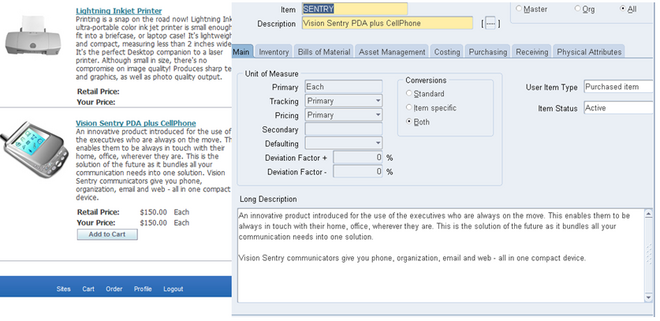
Navigate to Items >Master Items
Query Item and in the first tab, Main, there is the UOM for the item.
[top]
Show Related Information Related
Products
* Oracle E-Business Suite > Sales & Marketing > Sales > Oracle iStore
Back to topBack to top
Rate this document
Article Rating
Rate this document
Excellent
Good
Poor
Did this document help you?
Yes
No
Just browsing
How easy was it to find this document?
Very easy
Somewhat easy
Not easy
Comments
Provide feedback for this article. Please use 'Contact Us' for other feedback.
Important Note: this feedback is anonymously visible to other customers until processed by Oracle Support.
Cancel
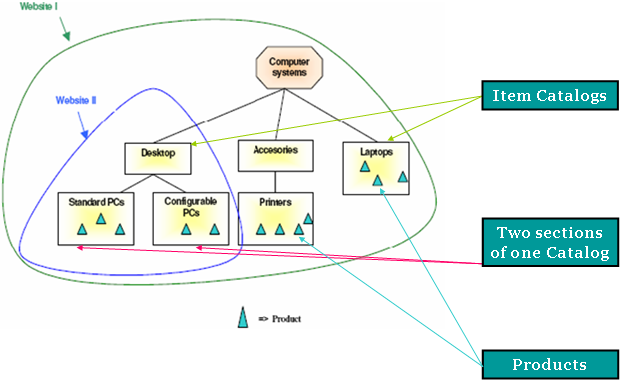
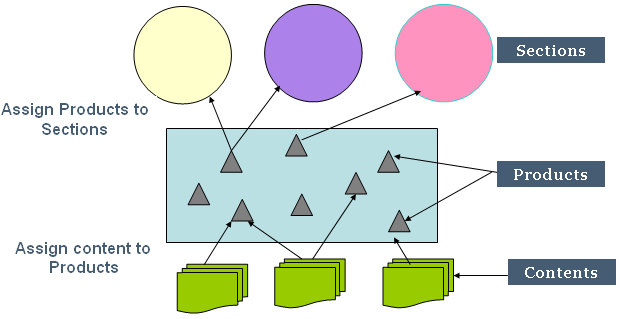
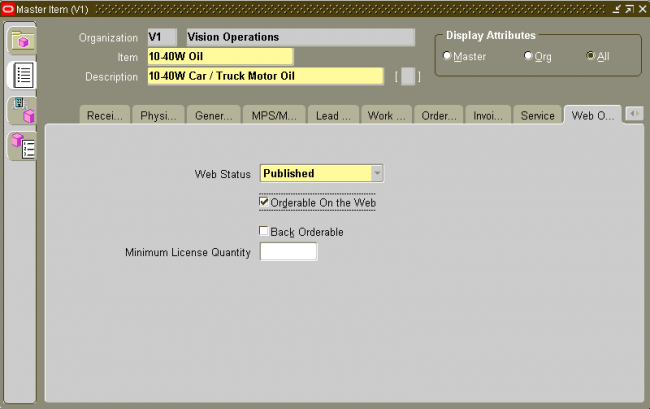
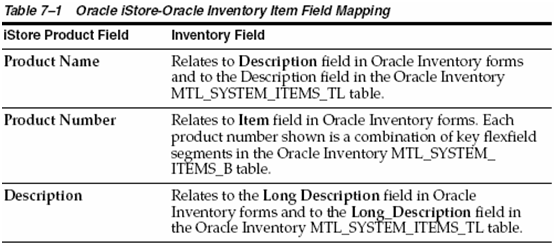
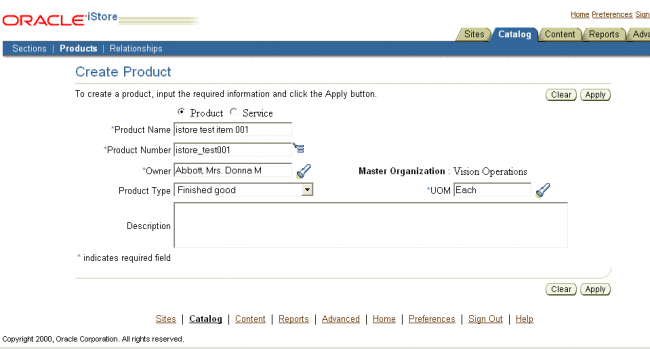
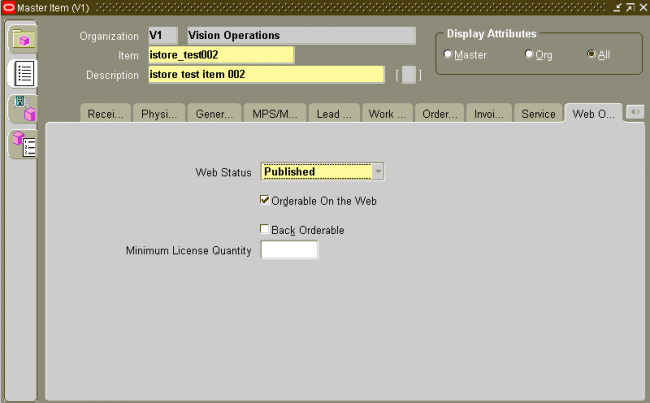
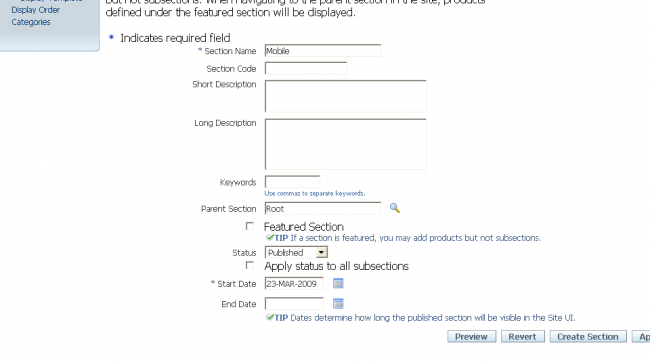
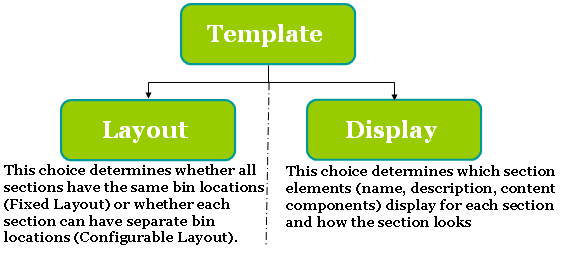
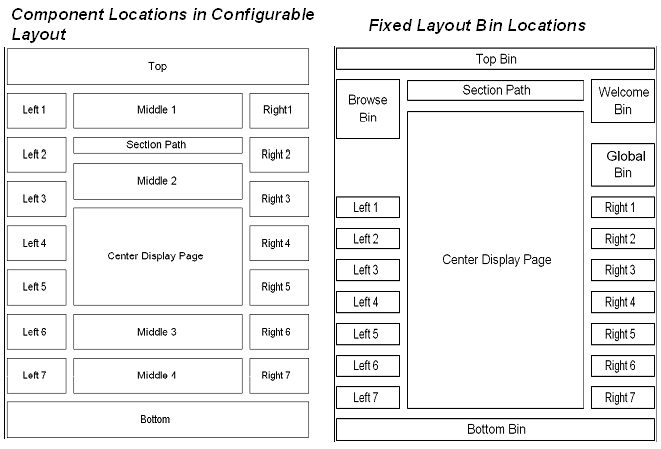
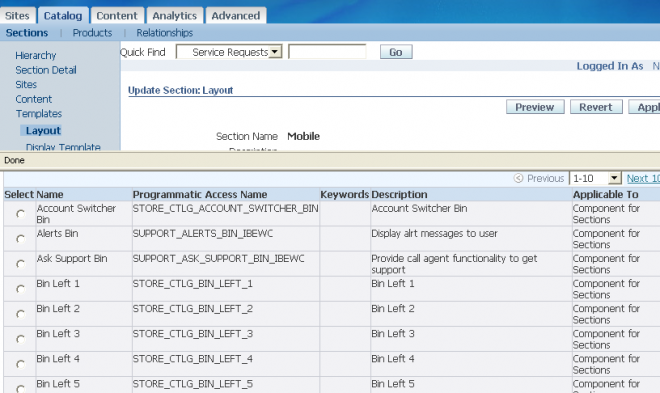

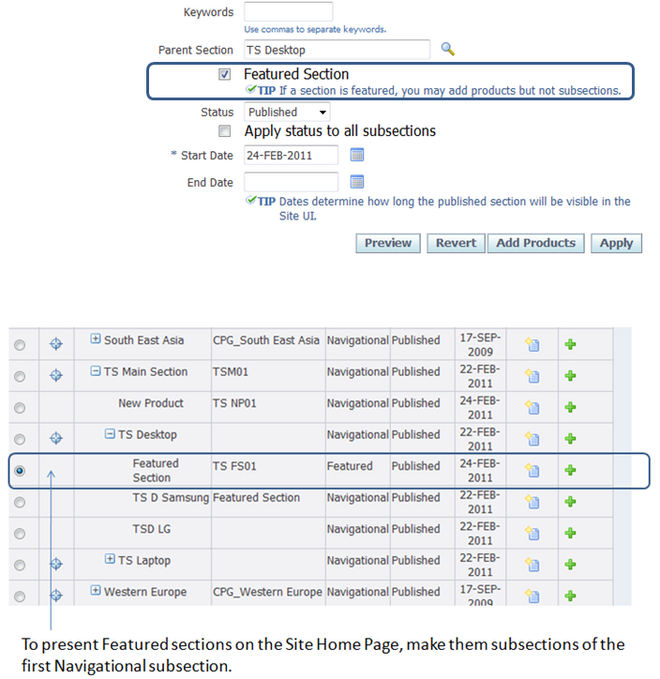
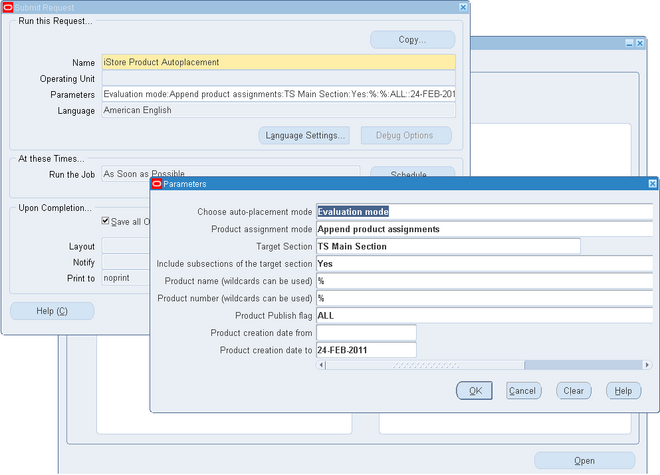 Oracle iStore's Product Autoplacement feature allows products within Oracle Inventory categories to be automatically added and replaced within Leaf sections, according to parameters that you set. The autoplacement is achieved through category-section mappings and the use of the concurrent program, iStore Product Autoplacement Concurrent Program.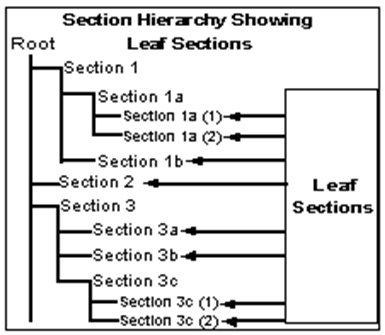
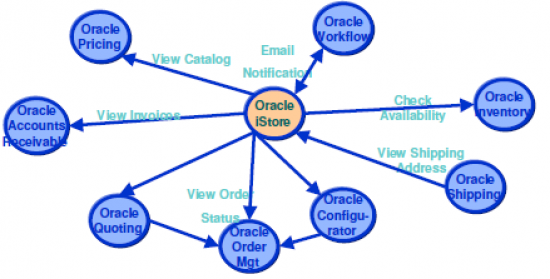
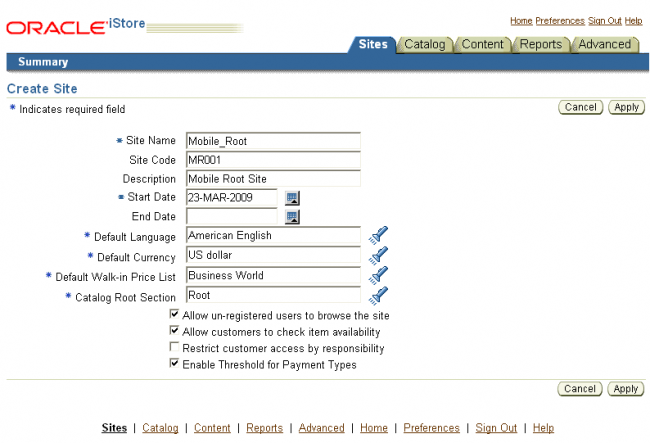
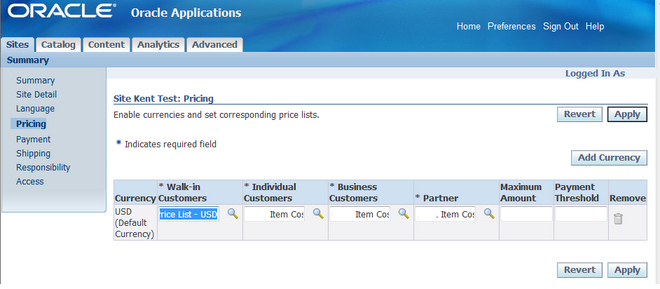
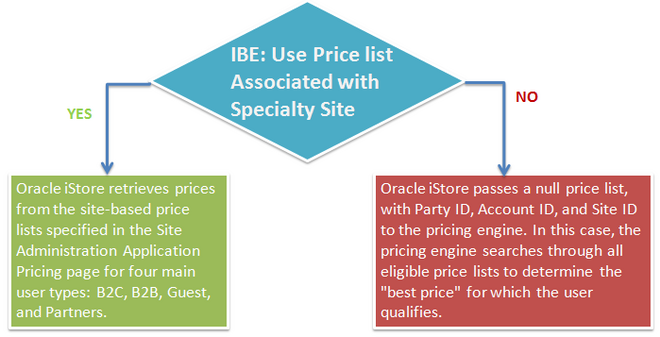 Oracle iStore displays prices for site products in both the catalog pages and the shopping cart. All item prices are retrieved from price lists; thus, every Inventory item for sale in your sites must appear on at least one price list. By setting 'IBE: Use Price list Associated with Specialty Site' profile option, you can specify whether the Pricing Engine retrieves site-specific price lists or retrieves the best price from any available price list.